
Top Free Group Text Apps for Seamless Communication in 2025
- Date
Trying to keep a group chat going can feel like herding cats sometimes, right? You want something easy to use, free, and that works for everyone, whether they’re on iPhones or Androids. With so many options out there, picking the best group text apps free for your crew can get a little overwhelming. We’ve checked out a bunch of them to help you find the perfect fit for staying in touch in 2025, so you can stop worrying about the tech and start chatting.
Key Takeaways
- WhatsApp is a popular choice for everyday users with a simple interface and strong security features.
- Signal offers top-notch privacy and encryption, making it ideal for those who prioritize security.
- Telegram stands out for its massive group capacity and file-sharing abilities, good for tech-savvy folks.
- GroupMe is great for organizing larger groups and events with features like polls and calendars.
- Facebook Messenger is convenient for those already in the Facebook ecosystem, offering video calls and fun features.
1. WhatsApp
WhatsApp is still a giant in the group chat world, and honestly, it’s easy to see why. It’s just so straightforward to use. You download it, link it to your phone number, and bam, you’re ready to start chatting with pretty much anyone. It feels like everyone and their grandma is on it, which is a huge plus when you’re trying to get a group together.
One of the biggest draws is the end-to-end encryption . This means your messages are scrambled up tight, so only you and the people you’re talking to can read them. Not even WhatsApp can peek. This applies to everything – texts, photos, videos, voice messages, you name it. They’ve also upped the ante with features like the ability to share files up to 2GB, which is pretty handy if you’re sending big videos or documents.
Setting up a group is a breeze:
- Open WhatsApp and tap the ‘New Group’ icon.
- Select the contacts you want to add.
- Give your group a name and maybe a picture.
- Hit create and start chatting!
They’ve also added some new stuff, like the ability to create events directly within group chats on iOS, which is neat for planning get-togethers. Plus, you can make voice and video calls, either one-on-one or in groups (though group calls are capped at a smaller number of people compared to some other apps).
While WhatsApp is owned by Meta (Facebook’s parent company), they’ve managed to keep the core messaging experience clean and focused. There are some new features popping up, like Channels for broadcasting messages and even Meta AI integration, which some folks find a bit much. For now, though, the basic group chat functionality remains solid and reliable.
It’s free, it works across most phones, and you can even use it on your computer through WhatsApp Web or desktop apps. The main requirement is a phone number to sign up, and it does collect some metadata, which is something to keep in mind if privacy is your absolute top priority.
2. Signal
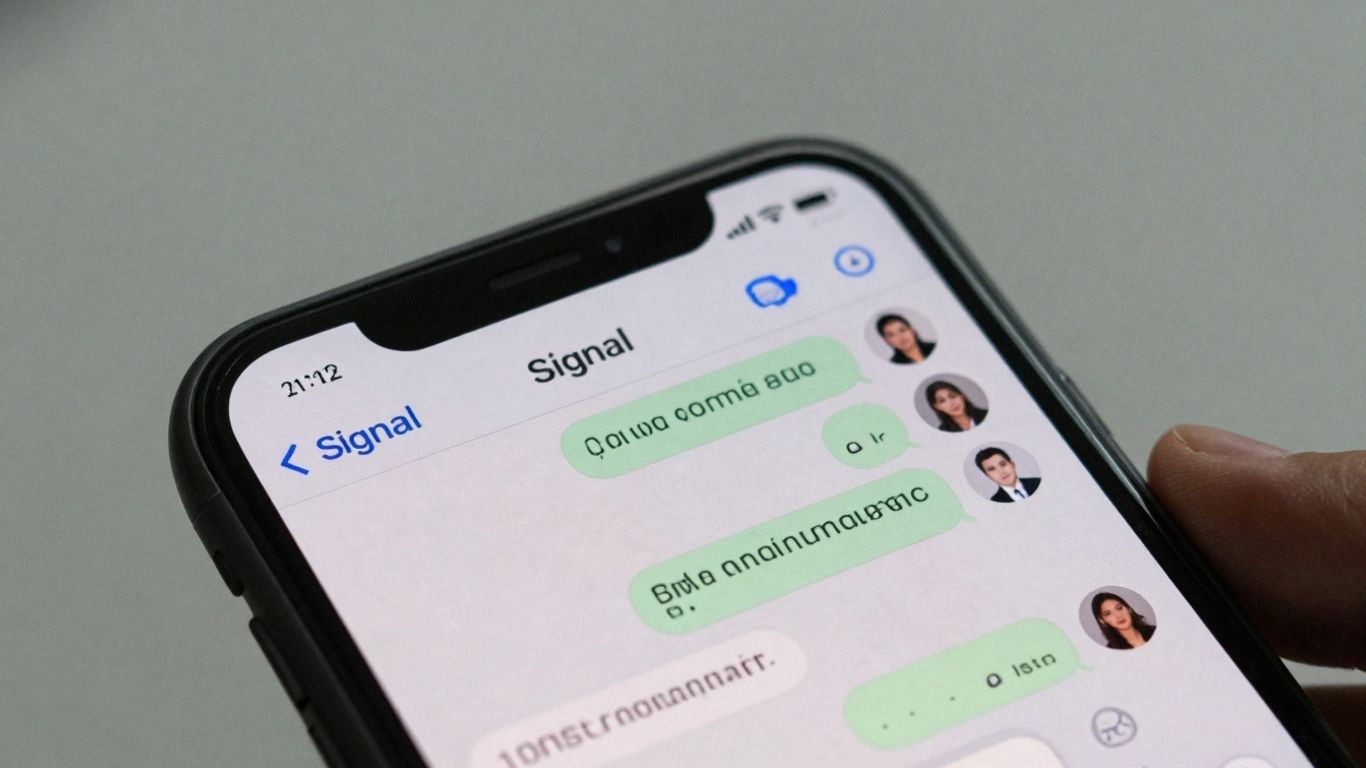
Signal is a really solid choice if you’re all about privacy and keeping your conversations locked down. It uses end-to-end encryption for everything, which means only you and the person you’re talking to can read what’s sent. Not even Signal can see your messages. It’s pretty straightforward to use, too, with a clean interface that doesn’t get in the way. You can send texts, photos, videos, and even voice messages, just like most other apps.
One of the neat things about Signal is that while you need a phone number to sign up, you don’t actually have to share it with people you chat with. That’s a nice little privacy boost. Plus, you can set messages to disappear after a certain time, which adds another layer of security if you’re worried about old chats lingering around. They even let you create polls directly in group chats now, which is handy for making group decisions without a lot of back and forth. You can also get a desktop app for your computer, which is pretty convenient.
- End-to-end encryption for all messages and calls.
- Option to set messages to expire.
- Phone number privacy.
- Desktop app available.
- Group polls feature.
Getting friends to switch to a new app can be tough, but Signal makes a good case for itself if security is a top priority for your group. It’s a free app, and it doesn’t have any ads or try to sell your data, which is refreshing. If you’re looking for a secure way to chat, Signal is definitely worth checking out for your group communication needs .
3. Telegram
Telegram is a messaging app that really stands out for its speed and its focus on security, though it does handle encryption a bit differently than some others. Instead of always using end-to-end encryption by default for all chats, Telegram stores your conversations on its servers. This approach allows for some pretty neat features, like logging into your account from multiple devices – including desktop apps – without any complicated workarounds. This makes it super convenient if you juggle a phone, tablet, and computer.
When it comes to group chats, Telegram is a powerhouse. You can create groups with up to a staggering 200,000 participants. Seriously, that’s a lot of people. They also have channels, which are like one-way broadcast systems where you can have an unlimited number of subscribers. It’s great for sharing information with a large audience. If you do want that extra layer of security for one-on-one chats, you can use their ‘secret chats’ feature, which offers end-to-end encryption, but you have to remember to enable it for each conversation.
Beyond the massive group sizes, Telegram lets you send files up to 2GB, which is pretty generous. They also have an open API, meaning developers can create unofficial apps or integrate Telegram with other services like Zapier for automation. For those who use Telegram a ton, there’s a Premium subscription that offers ad removal, doubled file upload limits, and other perks, but the free version is already quite capable.
Here’s a quick look at some of Telegram’s key features:
- Massive group chat capacity (up to 200,000 members)
- Channels for broadcasting to unlimited audiences
- File sharing up to 2GB
- Optional end-to-end encrypted ‘secret chats’
- Multi-device login support
While Telegram’s default encryption method has raised some eyebrows among security purists, its flexibility and extensive features, especially for large communities and file sharing, make it a compelling choice for many users.
4. GroupMe
GroupMe is a pretty solid choice if you’re looking to keep a bunch of people in the loop without too much fuss. It’s been around for a while and is known for being straightforward, which is nice. You can create different groups for different things – maybe one for your family reunion planning and another for your book club. It handles up to 500 people in a group, which is quite a lot, so it’s good for bigger gatherings or even school communities.
One of the neat things about GroupMe is its SMS integration. This means people can join in on the group chat even if they don’t have the app installed on their phone. They’ll still get the messages, which is super handy for making sure everyone stays connected, no matter their tech setup. Plus, you can share photos, videos, and links easily.
Here are some of the things you can do with GroupMe:
- Create and manage multiple groups.
- Share photos, videos, and your location.
- Plan events with built-in calendar features.
- Use polls to get quick feedback from the group.
- Pin important messages so they don’t get lost.
It’s also got a feature that lets you send direct messages within a group, which is useful if you need to talk to just one or two people without cluttering the main chat. They even have a sort of ‘walkie-talkie’ mode for quick voice messages, though that’s not its main draw.
While GroupMe is free and easy to use, it’s worth noting that it doesn’t offer end-to-end encryption like some other apps. So, if you’re discussing super sensitive stuff, you might want to keep that in mind. For everyday chats and organizing events, though, it’s a reliable option.
5. Facebook Messenger

Facebook Messenger, often just called Messenger, is a pretty common app these days. You probably already have it if you use Facebook. It’s super handy because you can chat with pretty much anyone on your Facebook friends list without needing their phone number. It’s also integrated with Instagram, which is a nice touch.
Messenger lets you create groups for friends, family, or even work colleagues. You can add up to 250 people to a group, which is a decent size for most situations. It’s got all the usual stuff like sending text, photos, videos, and voice messages. Plus, you can do video calls, and there’s even a ‘Watch Together’ feature so you can watch videos with people in your group live.
One of the big draws is its widespread use. If you need to reach someone, chances are they have Messenger. It’s a serious advantage when you’re trying to connect with people you might not have direct contact info for otherwise. You can also connect Messenger to other services, which can automate some tasks, like replying to messages. It’s a good way to keep up with people across different platforms.
While Messenger has improved its security, it’s worth noting that not all chats are end-to-end encrypted by default. One-on-one conversations are now encrypted, but group chats and other types of conversations might not be. This is something to keep in mind if privacy is your top concern.
Setting up a group is pretty straightforward:
- Download the app and log in with your Facebook account (or sign up with a phone number).
- Open Messenger and tap the ‘Create Group’ icon.
- Add the people you want in the group from your contacts or Facebook friends.
- Give your group a name and maybe a picture.
- Start chatting and sharing!
It’s a solid choice for staying in touch, especially if most of your contacts are already on Facebook. You can find out more about automating tasks with Facebook Messenger .
6. iMessage
If you’re rocking an Apple device, iMessage is probably already on your phone, and honestly, it’s a pretty solid choice for group chats. It’s built right in, so no extra downloads needed. You can send texts, photos, videos, and even those fun Memoji things. The real magic happens when you’re chatting with other iPhone or iPad users , because that’s when you get all the fancy features like typing indicators and read receipts. Plus, you can start a message on your iPhone and pick it up on your Mac without missing a beat. It’s all about keeping things connected within the Apple ecosystem.
One cool thing is that you can actually name your group chats, which is super helpful when you’re in a bunch of different conversations. Just tap on the group, hit the ‘i’ icon, and give it a name. It makes finding the right chat so much easier later on.
While iMessage works great for Apple-to-Apple communication, it’s important to remember that messages sent to non-Apple devices revert to standard SMS/MMS. This means you lose out on the end-to-end encryption and the richer features that make iMessage special when you’re talking to Android users. So, keep that in mind if your group is a mix of devices.
Here’s a quick rundown of what makes iMessage tick for groups:
- Apple Ecosystem Integration: Works flawlessly across iPhone, iPad, and Mac.
- Rich Media Sharing: Send photos, videos, audio messages, and more.
- Typing Indicators & Read Receipts: See when others are typing and when your message has been read (for Apple-to-Apple chats).
- Group Naming: Easily identify and organize your group conversations.
- Memoji & Stickers: Add a bit of fun and personality to your messages.
7. Google Messages
Google Messages is the default messaging app for Android phones, and it’s a solid choice for group chats. It feels pretty familiar if you’ve used iMessage on an iPhone, offering features like read receipts and typing indicators. Plus, it supports high-quality media sharing, so your photos and videos won’t look all fuzzy when sent in a group. It also plays nice with other Google services, which is handy if you’re already in that ecosystem.
One of the big advantages is its support for RCS (Rich Communication Services). This is basically an upgrade to the old SMS/MMS system, bringing a more modern messaging experience to Android users. It makes group texting feel much more like the chat apps you might be used to. However, it’s worth noting that RCS features work best between Android devices. If you’re in a group chat with iPhone users, you’ll likely fall back to standard SMS/MMS, which means fewer features.
Setting up a group is straightforward:
- Open the Google Messages app.
- Tap the "Start Chat" or "New Group" button.
- Add the contacts you want in the group.
- Give your group a name (optional but recommended!).
- Start typing your message and send.
Google Messages is also working on new features, like the ability to mention specific people in group chats, which is a neat trick for getting someone’s attention. This feature is still being tested, but it shows they’re trying to keep things fresh. It’s a good, reliable option for most Android users looking for a straightforward group messaging experience.
While Google Messages is primarily for Android, there’s a version available for iOS, though its functionality might be more limited compared to the Android experience. It’s a step towards bridging the gap, but the best experience is still on Android devices.
8. Line
Line is a pretty popular messaging app, especially if you’re in Asia. It’s more than just texting, though. You get free voice and video calls, which is nice, and they have a huge collection of stickers and emojis that people seem to really like. It feels like a whole social platform rolled into one.
It’s available on pretty much everything , from your phone to your computer, so you can keep up with chats wherever you are. Setting up a group is straightforward enough. You just open the app, start a new chat, pick the ‘Create Group’ option, choose who you want to add, give your group a name, and you’re good to go.
One thing to keep in mind is that Line can be a bit picky about your internet connection and how much storage space you have on your device. If your internet is slow or your phone is packed full, you might run into some installation issues. It’s also worth noting that it requires a phone number to sign up, which might be a dealbreaker for some.
Here’s a quick look at what Line offers:
- Chats and Group Chats: Standard messaging features.
- Voice and Video Calls: Free calls to other Line users.
- Stickers, Emoji, and Themes: A big draw for many users.
- Read Receipts: Lets you know when your message has been seen.
- Mobile Payments: Integrated payment system.
- Social Timeline: A place to share updates, kind of like a mini social media feed.
While Line offers a lot of fun features and a broad ecosystem, its performance can depend heavily on your network speed and device resources. It’s a solid choice if you’re looking for a feature-rich messaging experience and are comfortable with its requirements.
9. WeChat
WeChat is a bit of a powerhouse, especially if you’re connecting with people in China or internationally. It’s way more than just a messaging app; think of it as a whole ecosystem. You can chat, make calls, send money, and even use "mini-programs" that are like apps within the app. It’s pretty wild.
Setting up a group is straightforward enough. You just add the contacts you want in the chat. The person who starts the group automatically becomes the admin, which is handy for managing things.
It’s a multi-functional platform that goes beyond simple messaging.
While it’s super popular, the interface can feel a little busy if you’re not used to it. It’s definitely got a lot going on, which is both a pro and a con depending on what you’re looking for. It’s also known for its payments integration, which is a big deal for many users.
The sheer number of features packed into WeChat can be overwhelming at first, but it makes it incredibly versatile for users who want a single app for many daily tasks, from chatting to paying bills.
10. Microsoft Teams
Microsoft Teams is a pretty solid choice, especially if your workplace is already deep into the Microsoft ecosystem. It’s more than just a chat app; it’s a whole collaboration hub. Think of it as your digital office space where you can talk, share files, and even work on documents together in real-time. It syncs up nicely with Outlook calendars, which is handy for scheduling meetings.
It’s especially good for businesses with remote teams who are already using Office 365. You can jump right into editing Word docs or PowerPoint slides with colleagues without ever leaving the app. Pretty neat, right?
Here’s a quick look at what it offers:
- Organized Channels: Break down conversations into specific topics or projects.
- Screen Sharing & Video Calls: Easy to connect face-to-face or present your screen.
- Real-time Document Collaboration: Work on files together, seeing changes as they happen.
- Integration with Microsoft 365: Access Word, Excel, PowerPoint, and more directly within Teams.
While it’s packed with features, it can feel a bit much if you’re just looking for simple group chats. It’s definitely geared more towards professional use. You can even initiate chats with people outside your organization using just their email address, which is a nice touch for cross-company communication external contacts .
Setting up a group is straightforward if you’re familiar with the interface. You’ll typically create a ‘Team’ first, and then channels within that team for different discussions. It’s designed to keep everything tidy and accessible.
Wrapping It Up
So, finding the right group text app really comes down to what you and your crew need. Whether you’re trying to plan a big family reunion, keep up with friends across different phones, or just share memes without a hitch, there’s definitely an app out there for you. We looked at a bunch, from the super-secure options to the ones that just make it easy to chat with everyone, no matter their device. The main thing is picking something that works for most people you talk to regularly. Because honestly, the best app is the one everyone actually uses. Give a few a try and see which one feels right for your group!
Frequently Asked Questions
What is the best free group text app if most of my friends use iPhones?
If most of your friends use iPhones, iMessage is a great choice because it’s built into all Apple devices. It allows for seamless communication with high-quality media sharing. However, if you need an app that works for both iPhone and Android users, WhatsApp is a very popular option with a user-friendly interface and strong security features.
Which app is best for very large group chats, like for a club or organization?
For really large groups, Telegram is a top pick. It can handle groups with hundreds of thousands of members and allows you to share large files, which is super handy. Microsoft Teams is another excellent option if you need it for more professional or organized group communication, as it can support up to 10,000 users.
I’m worried about privacy. Which group text app offers the best security?
Signal is widely considered the gold standard for privacy and security. It uses end-to-end encryption by default for all messages, meaning only you and the people you’re talking to can read them. WhatsApp also offers end-to-end encryption for all its chats, making it a secure choice for everyday conversations.
Can I use these apps without needing a phone number?
Most popular group texting apps, like WhatsApp and Signal, require you to sign up with a phone number. However, Telegram allows you to use it without linking your phone number directly after the initial setup, and you can also log in from multiple devices easily.
What’s the difference between a group text app and a regular SMS group message?
Regular SMS group messages use your phone carrier’s network, which can sometimes cost money and might not handle media like photos or videos as well. Group text apps, on the other hand, use the internet (Wi-Fi or data) to send messages, which is usually free. They also offer more features like larger group sizes, better media sharing, and sometimes extra security.
Are there any apps that work well for both personal and business group chats?
Yes, several apps can bridge the gap. Facebook Messenger is great for staying connected with friends and family and has features for group chats. For more professional needs, Microsoft Teams is designed for workplace collaboration with advanced features. GroupMe is also a good all-around option that works well for both casual and organized group communication.
