
Choosing the Best CMS System: Open Source Options for Your Project
- Date
Picking the right content management system, or CMS, can feel like a big deal for any project you’re starting. It’s like choosing the foundation for your house – you want it to be solid and work well for years to come. In 2025, there are a ton of options out there, and figuring out which open source CMS is the best fit for what you need can be tricky. This article breaks down some of the top contenders to help you make a good choice without all the confusing jargon.
Key Takeaways
- When picking an open source CMS, think about how easy it is to use, especially if you’re not a developer. Some have drag-and-drop tools that make things way simpler.
- Look at the plugin and theme options. A big library means you can add features and change the look of your site without needing custom code.
- Security and updates are important. Some platforms handle this automatically, while others leave it up to you. Consider what maintenance you’re prepared for.
- Does the CMS support multiple languages if you need to reach a global audience? Some have this built-in, which can save a lot of hassle.
- Think about the community around the CMS. A strong, active community means you can find help and solutions when you run into problems.
Understanding Open Source CMS Systems

What is a Content Management System?
A Content Management System, or CMS, is basically a software tool that helps you create, manage, and change content on a website without needing to know how to code. Think of it like a word processor for your website. You can write text, add images, organize pages, and publish everything without messing around with HTML or CSS directly. It makes building and running a website much more accessible to more people. Most websites you visit today, from small blogs to big company sites, use some kind of CMS to keep their content fresh and organized.
The Advantages of Open Source Solutions
When we talk about "open source," it means the software’s code is publicly available. Anyone can see it, modify it, and distribute it. This has some pretty big benefits for a CMS.
- Cost-Effective: Usually, there are no licensing fees. You can download and use the software for free, which is a huge plus for any project budget.
- Flexibility and Customization: Because the code is open, developers can tweak it to fit very specific needs. You’re not locked into what the original creators decided was best.
- Community Support: Open source projects often have large, active communities of users and developers. This means you can find lots of help, tutorials, and pre-built add-ons (like plugins and themes) online.
- Transparency and Security: With the code out in the open, many eyes can review it for bugs or security holes. While no software is perfectly secure, this transparency can lead to quicker fixes.
The open-source model thrives on collaboration. It’s a shared effort where improvements made by one person or group can benefit everyone using the system. This collective development often leads to robust and adaptable software.
Key Factors in Choosing Your CMS
Picking the right CMS is a bit like choosing the right tools for a job. You wouldn’t use a hammer to screw in a bolt, right? Here are some things to think about:
- Ease of Use: How simple is it to actually add and edit content? If you’re not a tech whiz, you’ll want something intuitive. Some systems have drag-and-drop interfaces that make things really straightforward.
- Features and Functionality: What do you actually need your website to do? Basic blogging? An online store? A complex membership site? Make sure the CMS can handle it, either out of the box or with add-ons.
- Customization Options: How easy is it to change the look and feel of your site? A good CMS will have a wide range of themes or templates, and ways to add new features through plugins or extensions.
- Community and Support: Is there a strong community around the CMS? This means more resources, tutorials, and help available when you get stuck. A larger community often means more frequent updates and a better chance of finding solutions to problems.
- Scalability: Can the CMS grow with your project? If you expect your website to get a lot of traffic or need to add more complex features down the line, you’ll want a system that can handle it without breaking a sweat.
Here’s a quick look at how some popular options stack up in terms of general use:
| CMS | Skill Level Required | Market Share (approx.) | Free Themes (approx.) | Free Plugins (approx.) |
|---|---|---|---|---|
| WordPress | Amateur | 63.5% | Over 2,000 | Over 27,000 |
| Joomla! | Standard | 2.6% | Over 900 | Over 7,000 |
| Drupal | Standard | 0.8% | Over 1,800 | Over 24,000 |
WordPress: The Dominant Open Source Contender
When you start looking at open-source content management systems, it’s pretty hard to ignore WordPress. Seriously, this thing powers a massive chunk of the internet – we’re talking over 40% of all websites out there. It originally kicked off as a blogging platform, but it’s grown into something way bigger. It’s like the Swiss Army knife of CMSs, you know? You can use it for a simple personal blog, a small business website, or even a pretty complex online store.
WordPress’s Unmatched Popularity and Flexibility
What makes WordPress so popular? A big part of it is its sheer flexibility. You can build almost anything with it. Need a place to sell stuff online? There’s a plugin for that. Want to make sure people can find your site on Google? Yep, another plugin. The number of themes and plugins available is just staggering. It feels like if you can imagine it, there’s probably a way to do it with WordPress, often without needing to write a single line of code.
Leveraging Plugins and Themes for Customization
This is where WordPress really shines. Think of plugins as little apps that add new features to your site. There are tens of thousands of them, covering everything from SEO tools and contact forms to advanced e-commerce functionalities. And themes? They control the look and feel of your website. You can find thousands of free and paid themes, or even have one custom-made. This massive ecosystem means you can really make your site your own, tailoring it precisely to your needs and brand.
Ease of Use and Community Support
For beginners, WordPress is often seen as the easiest to get started with. The dashboard is pretty straightforward, and the Gutenberg block editor makes building pages feel a bit like playing with digital LEGOs. You can drag and drop blocks to create layouts without needing to know how to code. But it’s not just for beginners. If you get stuck, there’s a huge online community. Forums, tutorials, documentation – you name it, there’s probably someone out there who’s already figured out your problem and shared the solution. This massive support network is a big reason why so many people stick with WordPress.
While WordPress is incredibly versatile, it’s important to remember that its popularity also makes it a target for security threats. Keeping your core software, themes, and plugins updated regularly is not just a good idea; it’s essential for keeping your site safe and running smoothly. Think of it like routine maintenance on a car – you wouldn’t skip it, right?
Here’s a quick look at some stats:
| Feature | WordPress (Approx.) |
|---|---|
| CMS Market Share | 63.5% |
| Free Plugins Available | Over 27,000 |
| Free Themes Available | Over 2,000 |
| Update Frequency | ~42 days |
| Skill Level Required | Amateur |
Strapi: A Modern Headless CMS Approach
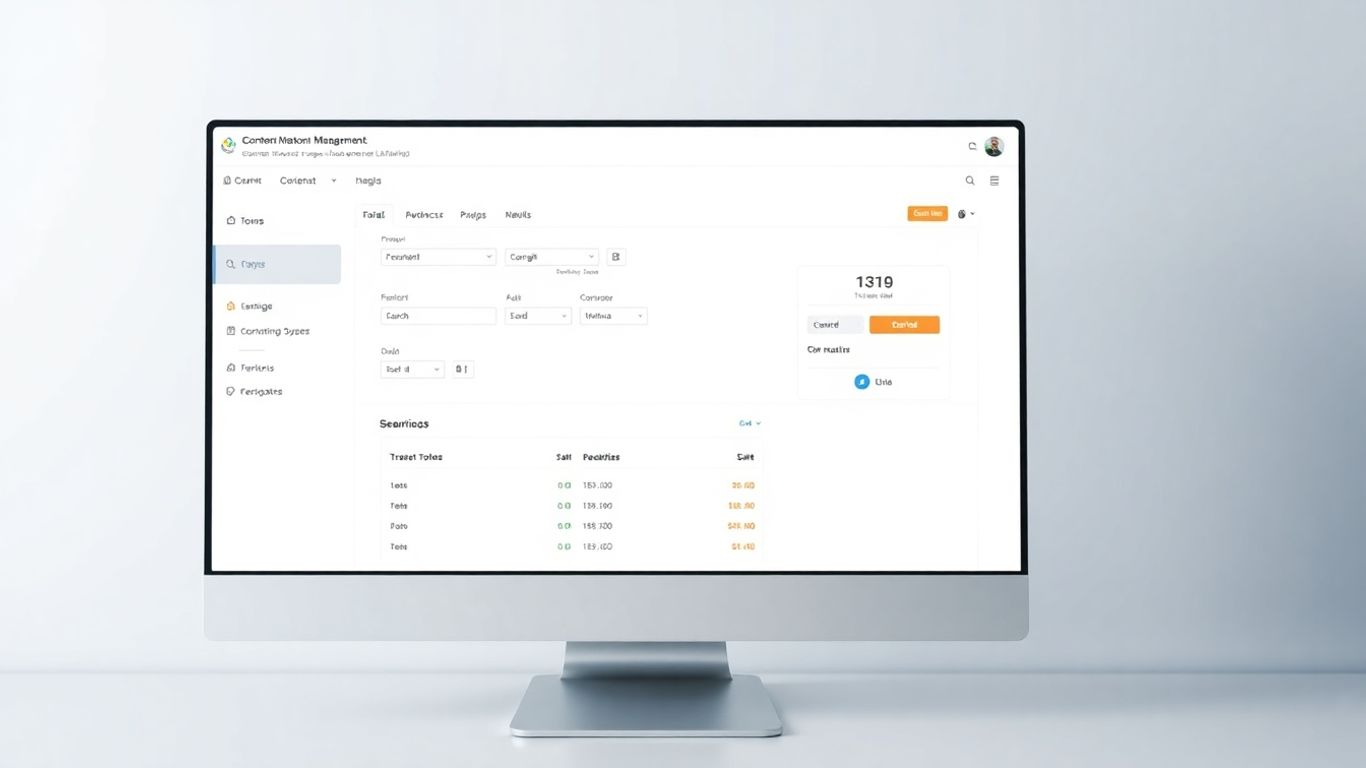
Okay, so let’s talk about Strapi. If you’re hearing the term ‘headless CMS’ for the first time, don’t worry, it’s not as complicated as it sounds. Think of it like this: instead of a CMS that dictates how your content looks on your website (like WordPress often does with themes), a headless CMS just focuses on managing your content. It then makes that content available through an API, which is basically a way for different software to talk to each other. This means you can use that content anywhere – your website, a mobile app, a smartwatch, you name it.
Understanding Headless Architecture
Traditional CMS platforms often bundle the content management part with the presentation layer – meaning the backend where you write stuff and the frontend where people see it are tightly linked. A headless CMS, on the other hand, separates these. It’s just the ‘body’ (content repository) without the ‘head’ (the frontend display). This separation gives you a ton of freedom. You can pick whatever frontend technology you like, whether that’s React, Vue, Angular, or something else entirely. Your content isn’t locked into a specific website design.
Strapi’s API-First Design
Strapi is built with this ‘API-first’ philosophy at its core. What does that mean in practice? Well, when you set up your content types in Strapi – say, for blog posts, products, or team members – it automatically generates APIs for you. You can choose between REST or GraphQL, which are popular ways to request and receive data. This makes it super straightforward for your frontend developers to pull in the content they need. It’s built using Node.js and TypeScript, which are pretty modern technologies that many developers are comfortable with.
Here’s a quick look at what makes Strapi’s approach stand out:
- Custom Content Modeling: You get a visual interface to define your content structures. You can create fields, link different content types together, and organize everything without writing code for this part.
- Automatic API Generation: Strapi handles the creation of your content APIs, saving developers time and effort.
- Developer-Friendly: It’s built with modern JavaScript technologies, making it a familiar environment for many developers.
- Flexibility: You’re not tied to any specific frontend, allowing for diverse digital experiences.
Customization and Enterprise Readiness
Strapi isn’t just for small projects. It’s designed to be extensible, meaning you can add more features through plugins. Need SEO tools? E-commerce functionality? Integrations with other services? There’s likely a plugin for that, or you can build your own. It also has robust user roles and permissions, which is important for larger teams where you need to control who can see and edit what. This makes it a solid choice for businesses that need a flexible, scalable way to manage content across multiple platforms and applications. While it offers a lot of power, it’s worth noting that setting it up and customizing it often requires some developer input, especially if you’re aiming for a highly specific setup.
Strapi’s headless nature means your content is decoupled from its presentation. This separation is key for modern development, allowing you to serve content to websites, mobile apps, and other digital channels independently. It’s about managing your information in one place and distributing it everywhere it needs to go, using the best tools for each specific channel.
Joomla: Balancing Power and Accessibility
Joomla is another big name in the open-source CMS world, and it’s often seen as a middle ground between the super-simple WordPress and the more complex Drupal. It’s got a good reputation for being flexible, especially if you need to manage content in multiple languages right out of the box. This makes it a pretty solid choice for businesses or organizations that are trying to reach a global audience without a lot of extra fuss.
What’s cool about Joomla is its user management. You can set up different user groups and control exactly what they can see and do on the site. This is super handy for community sites or places where you have a lot of people with different roles. It’s also got a decent set of features for building things like online stores or community forums.
Joomla’s Versatility for Diverse Projects
Joomla can handle a lot of different types of websites. Whether you’re building a corporate site, a community portal, or even an online store, Joomla has the tools to get it done. Its structure allows for complex content organization, which is great if your project has a lot of different types of information to manage. It’s also known for its strong security features, often considered more robust out-of-the-box compared to some other options. This makes it a good pick for projects where security is a top concern.
Extensibility and Multilingual Capabilities
One of Joomla’s standout features is its built-in support for multiple languages. Setting up a multilingual site is much smoother with Joomla than trying to cobble it together with add-ons on other platforms. This is a huge plus for anyone targeting an international audience. Beyond that, Joomla has a pretty good marketplace for extensions and templates. While it might not have the sheer volume of WordPress, the available options are often quite powerful and can extend Joomla’s functionality significantly. Think advanced user management, e-commerce integrations like VirtueMart, and custom workflow tools.
Community and Development Ecosystem
Joomla has a dedicated community behind it. You can find plenty of forums and resources online to help you out if you get stuck. The development ecosystem is active, with regular updates and improvements being made to the core software and its extensions. However, it’s not always the easiest thing to get started with. Compared to WordPress, there’s a bit more of a learning curve, and you might find yourself needing some technical know-how to really get it working the way you want. Also, while it has extensions and templates, the selection isn’t as huge as some of the other big players, so finding that perfect add-on or design might take a bit more digging.
While Joomla offers a good balance of power and usability, it does demand a bit more technical comfort than some simpler platforms. If you’re comfortable with a slightly steeper learning curve and need robust user controls or multilingual capabilities, Joomla is definitely worth a look. Just be prepared for potentially more maintenance and a slightly smaller ecosystem of add-ons compared to the giants.
Drupal: Robustness for Complex Needs
Drupal is often the go-to for projects that are, well, complicated. It’s not usually the first choice for a simple personal blog, but if you’re building something with a lot of moving parts, lots of different types of content, or you have some pretty strict security requirements, Drupal starts looking really good. It’s built with a focus on flexibility and scalability, which means it can grow and adapt as your project does.
Drupal’s Scalability and Security Features
When you’re dealing with a lot of information, like a government website or a large university portal, you need a system that can handle it all without breaking a sweat. Drupal is known for its ability to manage massive amounts of content and handle high traffic loads. This is partly thanks to its robust architecture and caching systems that keep things running smoothly even when lots of people are visiting.
Security is another big win for Drupal. It has a really detailed system for controlling who can do what on your site. Think of it like having a security guard for every single piece of content and every user role. This granular control is a lifesaver for organizations that have sensitive data or need to comply with strict regulations. They also have a dedicated security team that works hard to find and fix vulnerabilities quickly.
- Advanced User Permissions: Define specific roles and permissions for different user groups.
- Regular Security Updates: A dedicated team monitors for and addresses security issues.
- Data Encryption: Supports encryption for data at rest and in transit.
- Scalable Architecture: Built to handle large volumes of content and traffic spikes.
Drupal’s strength lies in its ability to be customized for very specific needs. While this means a steeper learning curve, it also means you’re not stuck with a one-size-fits-all solution. For complex projects, this level of control is invaluable.
Developer-Centric Customization
Drupal is a favorite among developers for a reason. It offers a lot of freedom to build exactly what you need. You can create custom content types, define your own fields, and build complex data structures that fit your project perfectly. This means you’re not trying to force your content into a pre-defined box.
Its API-first approach also makes it a great choice for headless CMS setups. This means you can use Drupal to manage your content and then deliver it to any platform – a website, a mobile app, or even an IoT device. This kind of flexibility is huge for modern digital strategies.
Enterprise-Grade Solutions
Because of its security, scalability, and customization options, Drupal is often chosen by large organizations, government bodies, and educational institutions. It’s built to handle the demands of enterprise-level projects where reliability and security are non-negotiable. While it might require more technical know-how to set up and manage compared to some other CMS options, the payoff is a powerful, secure, and highly adaptable platform that can support complex digital initiatives for years to come.
Other Notable Open Source CMS Platforms
While WordPress, Strapi, Joomla, and Drupal get a lot of the spotlight, there are other solid open-source CMS options out there, each with its own strengths. Sometimes, a project has a very specific need that one of these specialized platforms can meet better than the more general-purpose ones.
PrestaShop for E-commerce
If your main goal is to sell products online, PrestaShop is definitely worth a look. It’s built from the ground up for e-commerce, meaning it comes with a lot of features you’d normally have to add with plugins on other systems. Think product management, order processing, and payment gateway integrations right out of the box. It’s a popular choice for small to medium-sized online stores.
Ghost for Publishing
For those focused purely on content creation and publishing, especially blogs or online magazines, Ghost is a fantastic option. It’s built on Node.js, which makes it pretty fast. Ghost has a really clean interface that helps you focus on writing and editing. It also has built-in SEO tools and a membership system, making it great for creators who want to build an audience and monetize their content directly.
TYPO3 for Corporate Environments
TYPO3 is a bit more of an enterprise-level CMS. It’s known for its robustness, scalability, and security features, making it suitable for large organizations with complex websites and high traffic. It’s often used for corporate sites, intranets, and large portals where managing a lot of content and users is key. While it might have a steeper learning curve than some others, its power and flexibility for big projects are undeniable.
Choosing a specialized CMS like PrestaShop for e-commerce, Ghost for publishing, or TYPO3 for corporate needs can streamline your project significantly. These platforms are designed with specific use cases in mind, often providing a more focused and efficient experience than trying to adapt a general-purpose CMS.
Here’s a quick look at how they stack up for their primary use cases:
| Platform | Primary Use Case | Key Strengths |
|---|---|---|
| PrestaShop | E-commerce | Built-in sales features, payment integration |
| Ghost | Publishing/Blogging | Speed, clean interface, membership features |
| TYPO3 | Corporate/Enterprise | Scalability, security, complex site management |
These platforms show that the open-source CMS world is diverse. Don’t just go with the most popular option if another system is a better fit for what you’re trying to achieve.
Evaluating Your Open Source CMS Options
So, you’ve looked at a few different open source CMS platforms, and now it’s time to really figure out which one is the best fit for your project. It’s not just about picking the one with the most downloads or the flashiest features. You’ve got to think about what you actually need and what you can realistically manage.
Technical Architecture and Flexibility
This is where things can get a bit technical, but it’s important. Think about how the CMS is built. Is it modular? That means you can add or change parts without breaking the whole thing, which is super handy down the line. Also, check out its API capabilities. A good API makes it easier to connect your CMS to other software you might be using, like your CRM or marketing tools. If you have some pretty specific ideas about how your content should work or how your team should manage it, you’ll want a CMS that lets you build custom solutions without a ton of hassle. The ability to adapt as your project grows is key.
Security and Update Frequency
Nobody wants their website to get hacked, right? With open source, security is often a community effort. You’ll want to see how often the platform releases security patches and updates. Some CMS platforms have a pretty regular schedule, while others might be a bit more sporadic. It’s also worth looking into how easy it is to apply these updates. Are they automatic, or do you need a developer to do it? This ties into maintenance – how much time and effort are you prepared to put into keeping your site secure and running smoothly?
Community Support and Resources
This is a big one, especially if you’re not a coding wizard. A strong, active community means there are tons of people out there who have probably run into the same problems you will. You can find forums, tutorials, and documentation that can help you figure things out. Think about how many people are using the CMS, how many developers are familiar with it, and how easy it is to find answers when you get stuck. A vibrant community can be a lifesaver.
Here’s a quick look at how some popular options stack up in terms of updates and skill level:
| CMS | Average Update Frequency (Days) | Skill Level Required |
|---|---|---|
| WordPress | 42 | Amateur |
| Joomla! | 36 | Standard |
| Drupal | 51 | Standard |
When you’re choosing, don’t just look at the shiny features. Think about the long game. What happens when you need to add a new feature? What if your traffic suddenly spikes? The underlying structure and the support system around it matter a lot more than you might think.
Wrapping It Up
So, we’ve looked at a bunch of open-source CMS options for your next project. It’s pretty clear there isn’t one single ‘best’ system for everyone. What works great for a small personal blog might not be the right fit for a big online store, and that’s totally fine. Think about what you really need – is it super easy to use, a ton of extra features, or something really flexible? Don’t forget to consider security and how you’ll keep things updated. Take your time, maybe try out a few demos, and pick the one that feels right for what you’re building. Making the right choice now will make things a lot smoother down the road.
Frequently Asked Questions
What exactly is a CMS?
A CMS, or Content Management System, is like a digital toolbox. It helps you build and manage a website without needing to be a super techy person. Think of it as the engine and dashboard for your online space, making it easy to add words, pictures, and other cool stuff.
Why are there so many different CMS options?
Just like people have different favorite foods or music, websites have different needs! Some are really simple, like a personal blog, while others are huge online stores or company pages. The many kinds of CMS platforms mean there’s probably a perfect fit for almost any project you can dream up.
Is it difficult to change CMS platforms later on?
Switching can sometimes be a bit tricky, like moving to a new house. It’s best to pick a CMS you feel good about using for a long time. Look for platforms that make it simple to get your website’s information out if you ever decide to switch.
What’s the big difference between a regular CMS and a headless CMS?
A regular CMS is like an all-in-one package where the content and how it looks are connected. A headless CMS is more like a content-only system. It sends your content out to different places, like a website, an app, or even a smart speaker, without being tied to one specific design.
What does ‘open source’ mean for a CMS?
Open source means the software is free to use and change. You can download it and put it on your own web server. You don’t pay for the software itself, just for the space on the server (hosting) and maybe for special add-ons or help if you need it.
How do I choose the best CMS for my project?
Think about what’s most important for you. Do you need something super easy to use, even if you don’t know how to code? Do you want lots of extra features you can add later? Consider how secure it is and how easy it will be to keep updated. Trying out a few different ones can also help you decide.
